It seems that you are unable to switch Shazam on/off for a station in the iOS app. Conversely, in the MacOS app you can do it.
Hi, you can do that on the iOS app as well when you’re in the fullscreen player view where you have the large artwork, and the Airplay and mute controls. There is the Shazam button on the bottom between the mute and the Airplay.
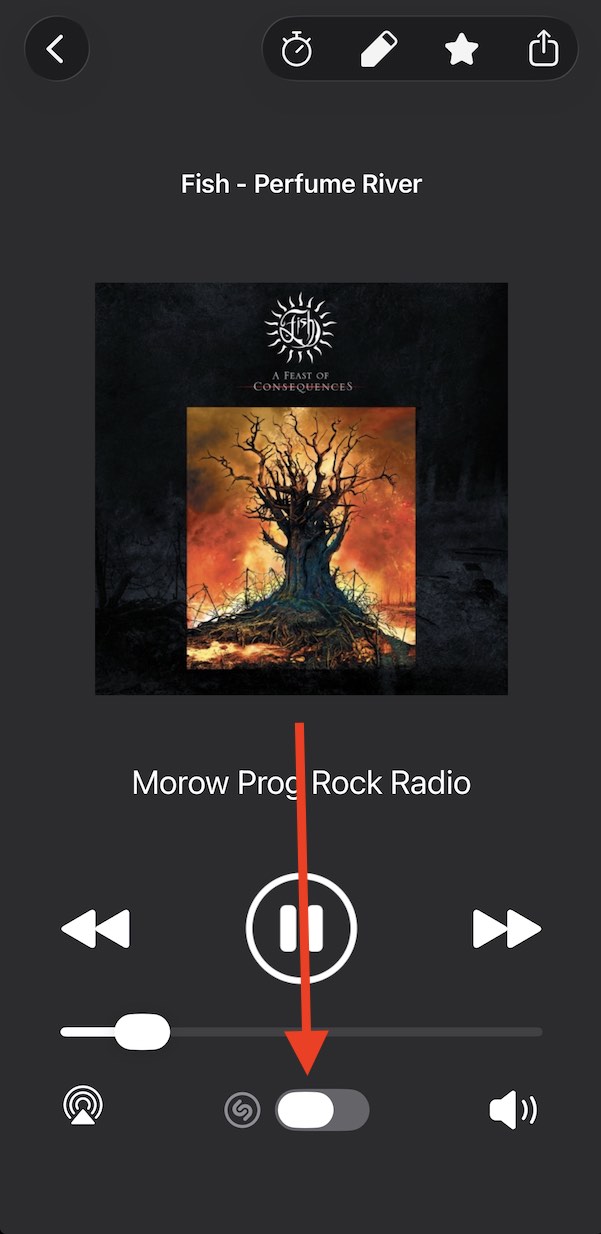
1 Like
Adding some details here in case someone else is struggling to get this working: You must grant Eter app the permission to use microphone (found under iOS Settings → Apps → Eter). Also, enable the “Shazam song recognition” in Eter app’s own Settings page (click the gear icon in Eter app).
Otherwise the shazam button in Eter full screen player is greyed out and unresponsive.
1 Like