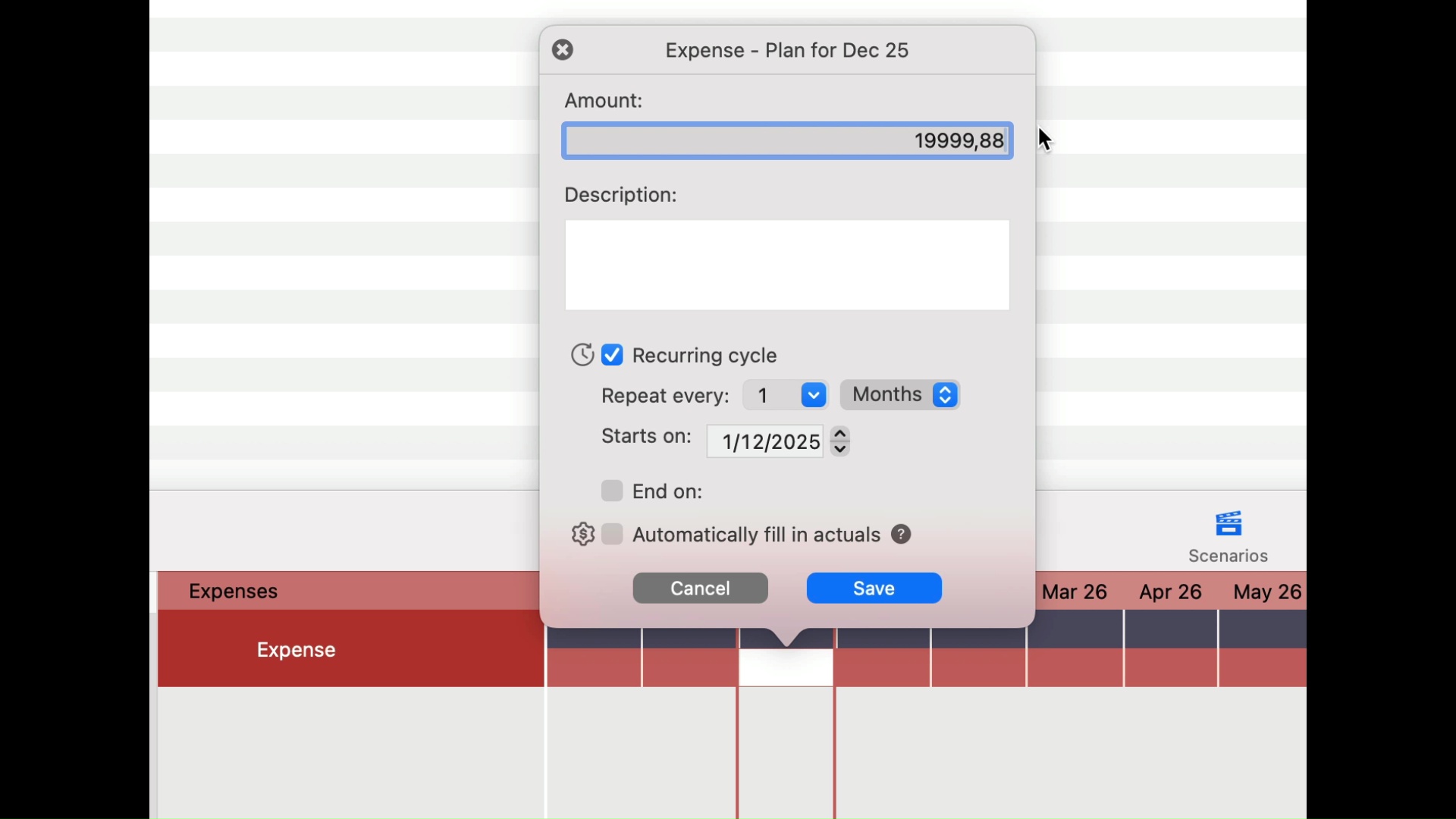
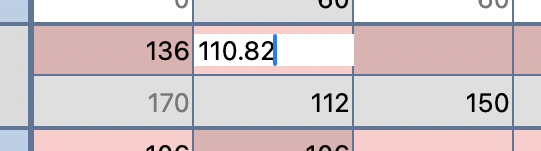
Planning does not let me to enter cents, it only allows round numbers. I cannot put “2698.75” there but this is the exact amount I need there. Not 2698.00, not 2699.00 but 2698.75.
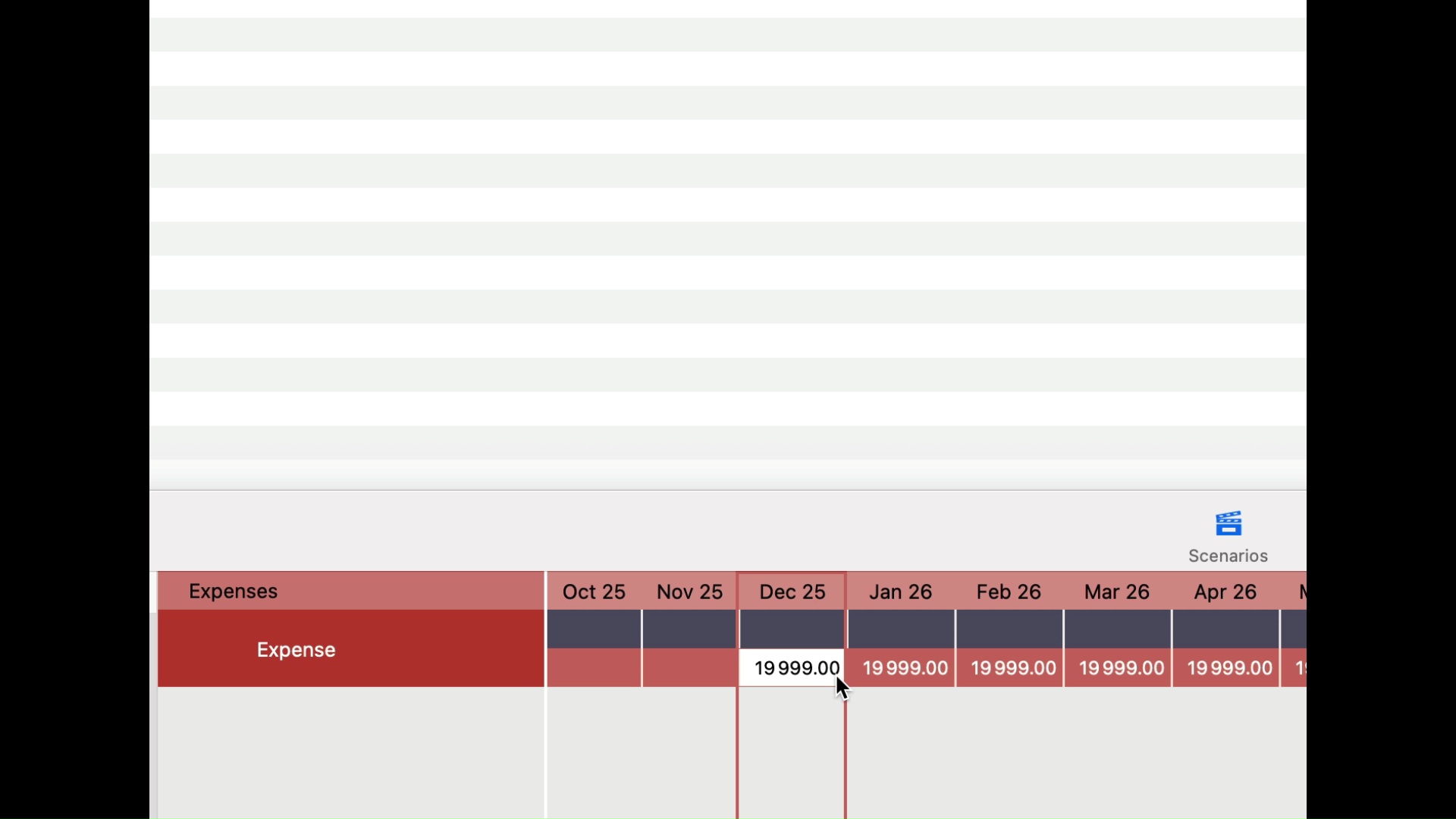
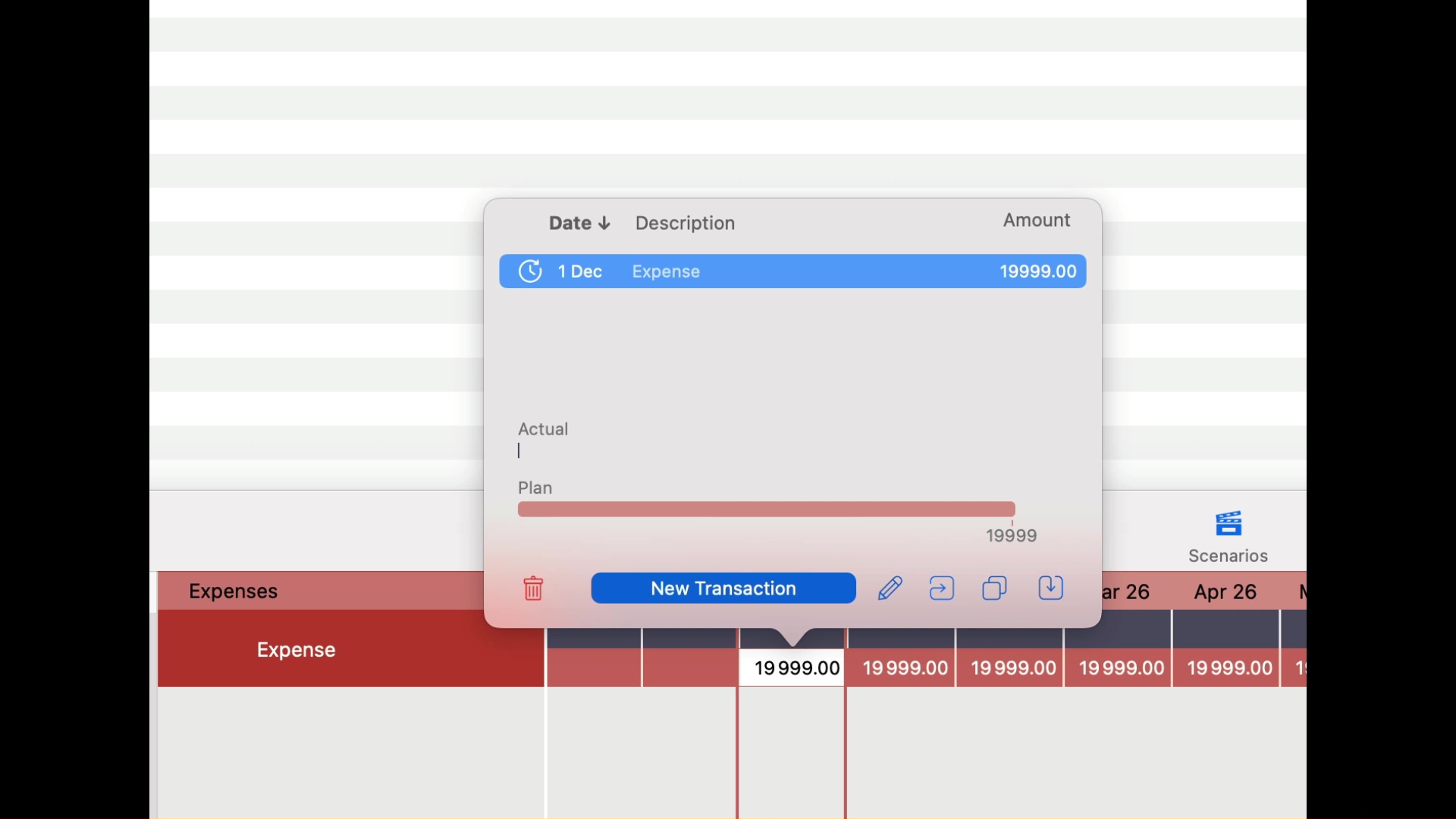
If I try to type “.”, which is a number separator in my computer, nothing happens.If I use “,”, then I can enter cents but in the spreadsheet they become “00”. They simply are not saved.
It was not a problem with Cashculator 1 to have cents there.
Hi @dmitryd . You should be able to enter cents. But cents don’t show by default. There’s a setting in the Ciew menu called “Show Cents,” which if you toggle will show cents everywhere. It also has a shortcut, Command-Option-0. Let me know if this solves the issue you experienced.
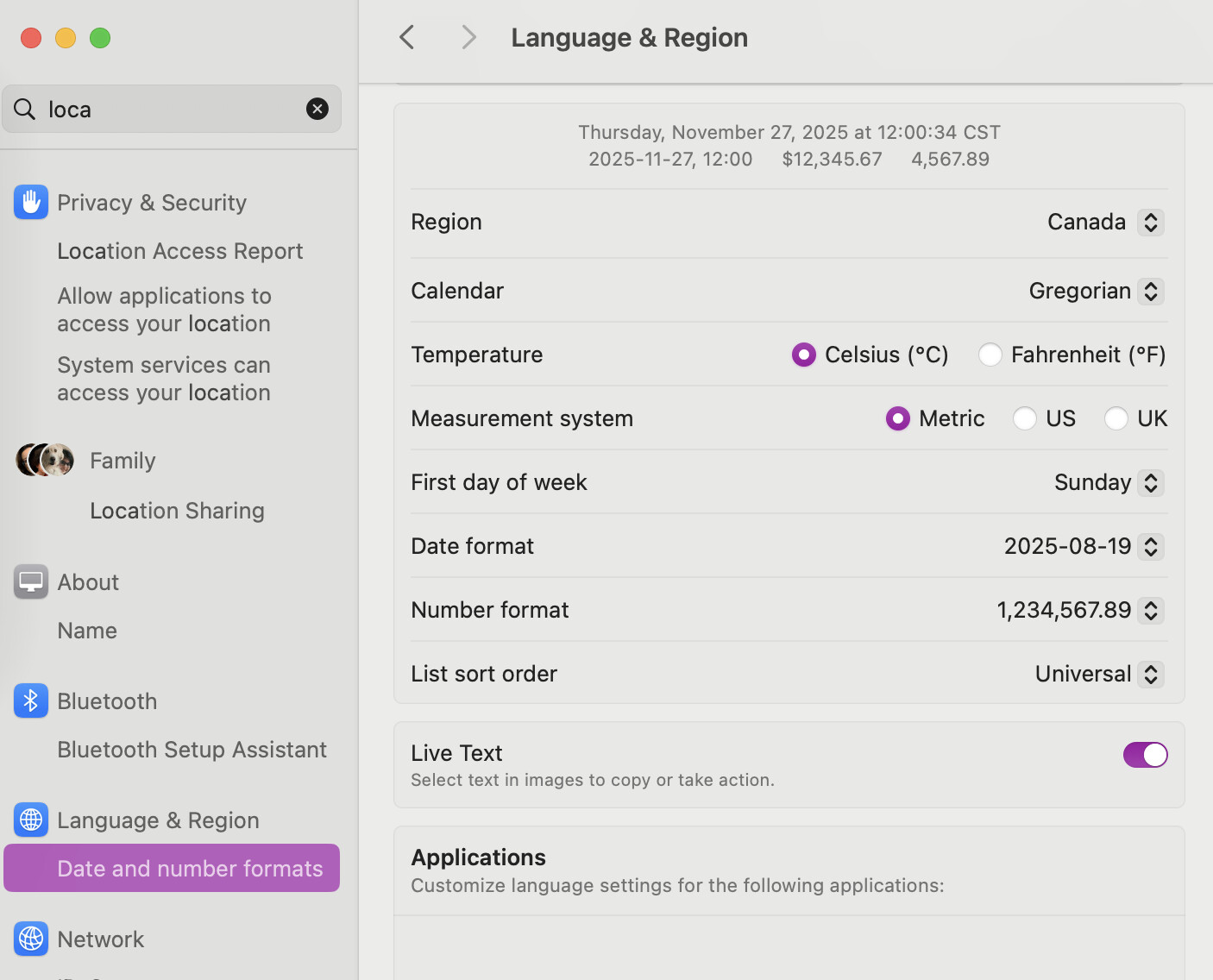
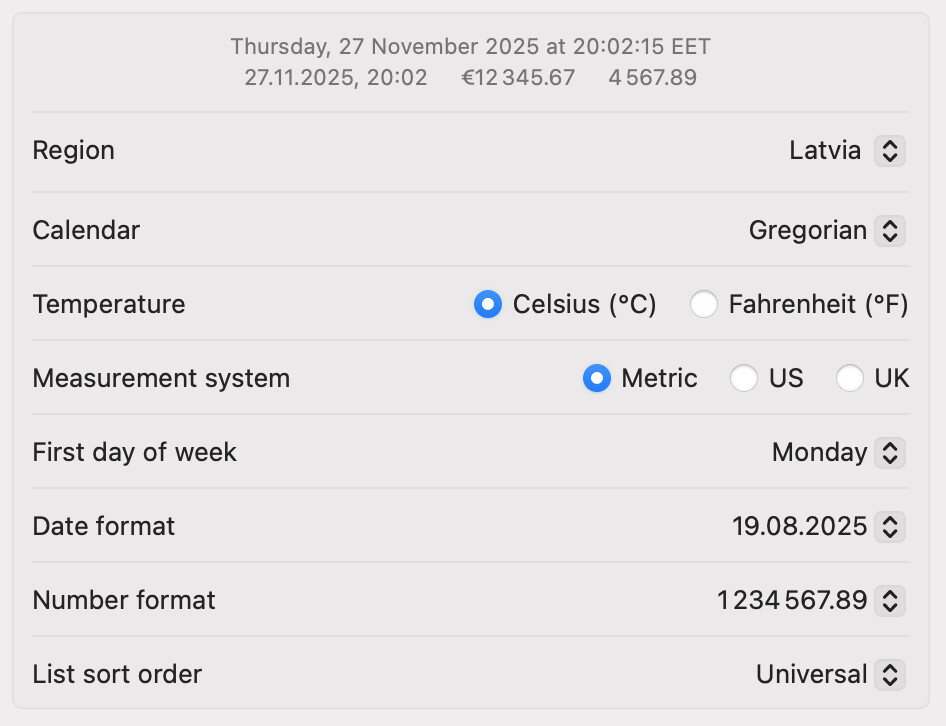
Hmm. But it displays dots for the display. It could be related to locale settings since I can insert dots on my Mac. What are your locale settings in System Settings? Can you share a similar screenshot to this:
From that, it looks like the formatting in the spreadsheet is correct using the dot and the Spaces separator. But you say you cannot enter a dot in the input. So now that I have your region settings, I can set them in my testing and see what happens and then fix it.
Possibly it is because I have modified settings. By default in Latvia this number shoukd look like “19.999,88”. But since I am a programmer, I use “19999.88” for formats. May be parsing does not expect it.
I ran a test using your settings and could replicate the behavior that you are seeing.
I think the reason for that is that your number format is not the default one for your region, which uses a comma. Probably we use the default decimal separator, which would be a comma, and so that’s why it’s allowed to be entered, and dot is not part of that.
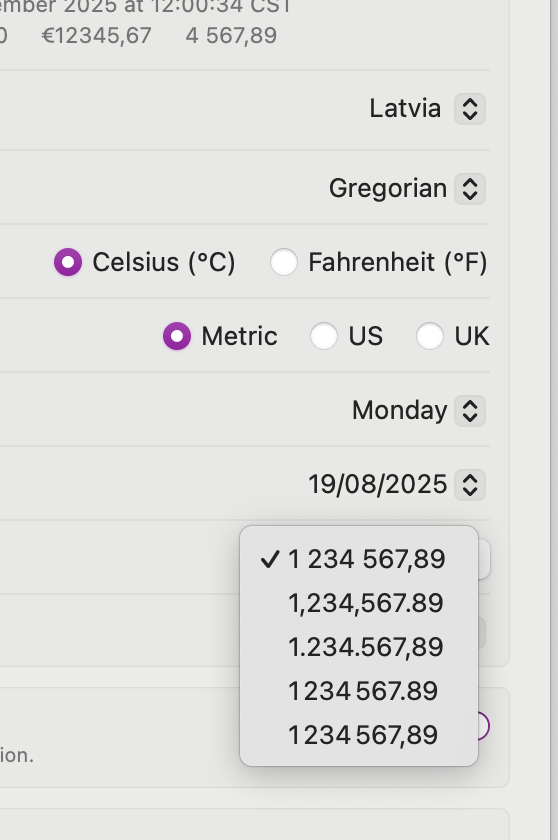
But then we probably use the number formatter that you choose, which doesn’t use a comma, and the cents are lost. I’ve tested this hypothesis by changing the number format to use the comma as the default one. See my screenshot. In that case, the cents were kept.
It looks like we should be smarter about detecting what the actual separator should be based on the number format and not the default one for the original settings for the Region, if that’s possible.
Perhaps in the meantime, until we find the fix, you can use the default one with a comma.
 I can use it for a while but it would be good to have a fix